Complete Guide to DLIMS Punjab Driving License Services Online
DLIMS Online Check 2026: Complete Guide to Punjab Driving Licence Verification, Tracking & E-Licence
DLIMS online check lets you instantly verify your Punjab driving licence status, track your e-licence delivery, confirm your learner licence, and renew your licence — all from home. This guide covers every step, every service, and every common problem — with real solutions.
Generate & Download Portal
What Is DLIMS and Why Does Every Punjab Driver Need to Know It?
DLIMS stands for Driving License Information Management System. It is the official digital platform of the Punjab Police that manages every driving licence record in Punjab — from learner permits to international licences.
Before DLIMS, checking your licence status meant going to a licensing authority office, standing in long queues, and still not getting clear answers. Now, everything is online.
Through DLIMS online, you can:
- ✅ Check your driving licence status by CNIC
- ✅ Track your physical licence delivery (Punjab Post dispatch)
- ✅ Download your e-licence (electronic driving licence)
- ✅ Verify any Punjab driving licence for authenticity
- ✅ Apply for learner licence renewal online
- ✅ Check your learner licence status
- ✅ Access your theory test results
Whether you live in Lahore, Faisalabad, Gujranwala, Multan, Rawalpindi, Sialkot, Sargodha, Bahawalpur, or Chakwal — DLIMS Punjab covers all districts under one unified system.
The Shift to DLIMS 2.0
The recent transition to dlims 2.0 has introduced more robust servers and a user-friendly interface. This upgrade was specifically designed to handle the high volume of online driving license check requests, which often exceed 60,000 daily searches.
The Official DLIMS Website — Where to Go
Many people search for “DLIMS online check” and land on unofficial or misleading websites. Here is the authoritative answer:
The official DLIMS portal is: https://dlims.punjab.gov.pk
Bookmark this URL. Avoid any third-party website that asks for your personal information or charges a fee for services that are free on the official portal.
Key pages within the official site:
How to Do a DLIMS Online Check — Step-by-Step
How to Check Your Learner Licence Status Online
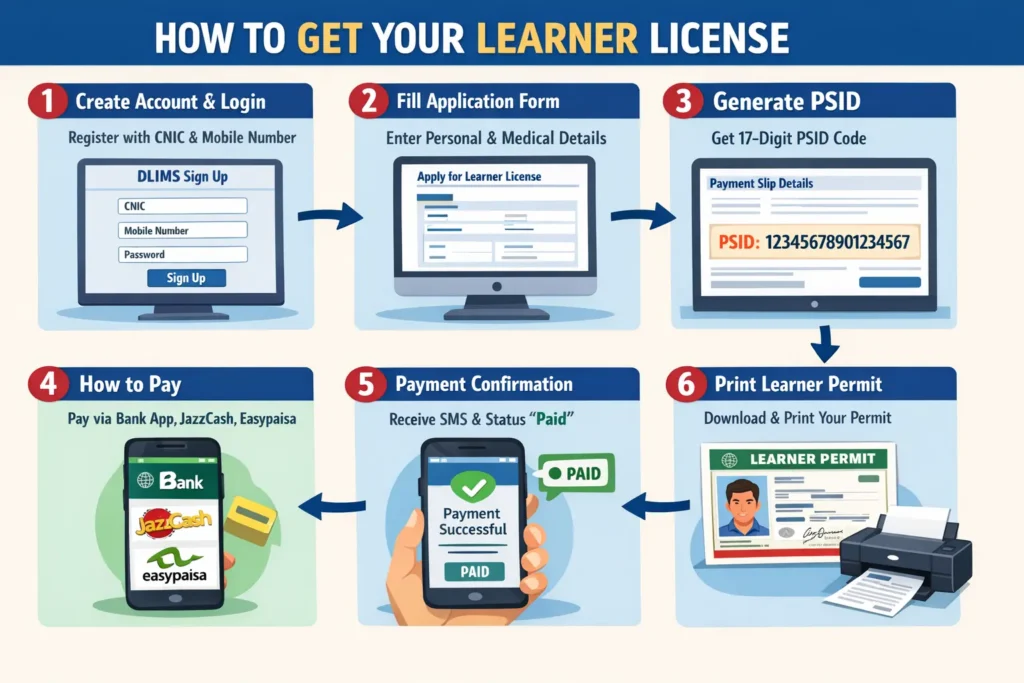
- 1Go to dlims.punjab.gov.pk/track
- 2Enter your CNIC number — 13 digits, no dashes or spaces
- 3Look for your learner permit status in the results
| Stage | Typical Timeframe |
|---|---|
| Application submitted to approval | 3–7 working days |
| Approved to printing | 3–5 working days |
| Printing to dispatch (Punjab Post) | 2–5 working days |
| Dispatch to delivery (within city) | 5–10 working days |
| Dispatch to delivery (remote areas) | 10–21 working days |
| Total average time | 3–5 weeks |
- 1Visit dlims.punjab.gov.pk/elicense
- 2Enter your CNIC number
- 3When e-licence loads → browser Print > Save as PDF
- 4Save the PDF to your phone or email it to yourself
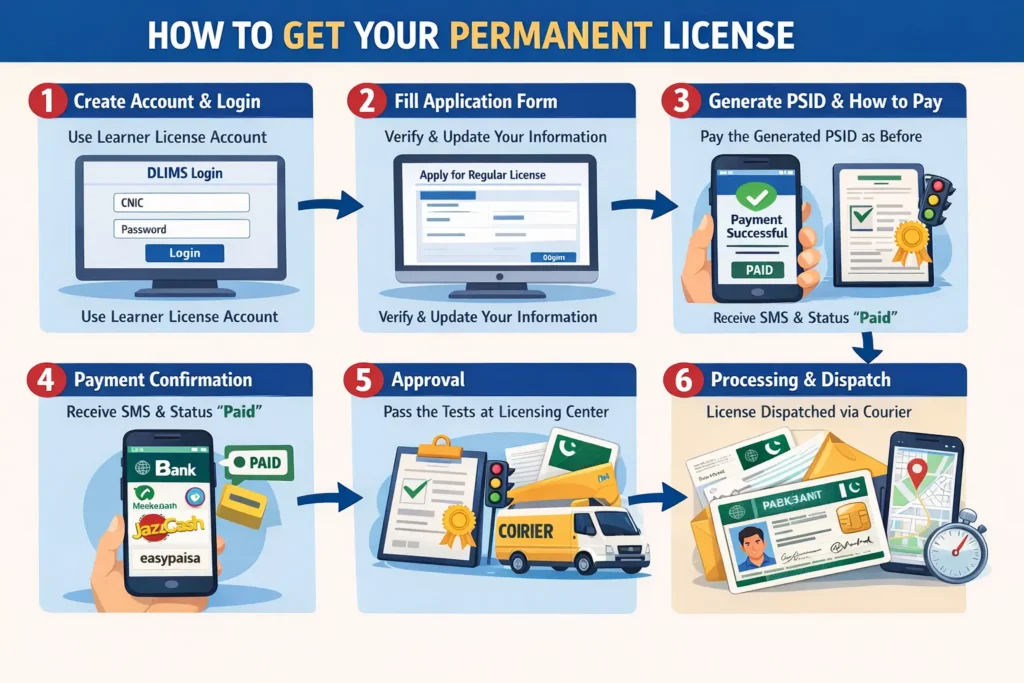
- 1Log in to DLIMS PortalVisit
dlims.punjab.gov.pk/loginand sign in with your CNIC and password. - 2Go to the Renewal SectionIn your dashboard, find and click the Renewal option.
- 3Confirm Your DetailsVerify your name, CNIC, licence category, and contact number.
- 4Generate PSID for Fee PaymentA PSID (Pakistan Single Point of Contact ID) will be generated for the renewal fee.
- 5Pay the FeePay at any bank, Easypaisa, JazzCash, or ATM using your PSID number.
- 6Book Biometric AppointmentVisit your nearest Licensing Authority office for biometric verification and new photograph.
- 7Track Your Renewed LicenceAfter your appointment, track delivery at
dlims.punjab.gov.pk/track
- “Record Not Found” When Checking by CNICWhy it happens: Your CNIC may not be registered in DLIMS, or entered incorrectly.
- Double-check your 13-digit CNIC — no dashes
- Wait 24–48 hours after applying — new records take time to appear
- If you recently moved, your address update may still be processing
- Visit your nearest Licensing Authority with your CNIC and application receipt
- Licence Shows “Dispatched” but Not ReceivedWhy it happens: Pakistan Post delivery timelines vary by city and route.
- Note the tracking number from DLIMS and check it on Pakistan Post website
- Contact your local post office with the tracking number
- If more than 21 days have passed, file a complaint at your Licensing Authority
- Use your e-licence while waiting for the physical card
- E-Licence Not Loading or Showing BlankWhy it happens: Licence may be expired, suspended, or CNIC temporarily flagged.
- Check your licence expiry date using the Verify function
- Clear your browser cache and try again
- Use Google Chrome or Mozilla Firefox — avoid outdated browsers
- If problem persists, contact DLIMS support or your local Licensing Authority
- “Learner Already Exists” Error on DLIMSWhy it happens: A learner licence already registered under your CNIC — even if expired.
- Check your existing learner status at dlims.punjab.gov.pk/track
- If expired — apply for renewal, not a fresh application
- Visit your district Licensing Authority with proof of identity
- PSID Payment Made but Status Not UpdatedWhy it happens: Online payments can take 24–48 hours to reflect in DLIMS.
- Wait 48 hours before assuming the payment failed
- Keep your payment receipt or screenshot safe
- If not updated after 48 hours, visit your bank with the PSID receipt
- Cannot Log In to DLIMS PortalWhy it happens: Forgotten password or mismatched CNIC and phone number.
- Use the “Forgot Password” option on the login page
- Ensure the phone number you registered with is still active
- Never registered? Create a new account with your CNIC and NADRA-linked mobile
License Renewal and Upgrades
A license is typically valid for 5 years. The punjab driving license renewal online check system ensures you never drive with an expired document.
How to Renew Online
If you are asking how to check license online for renewal, the process is simple:
- Log in to dlims.
- Upload a digital copy of your medical certificate (if over 50) and a fresh photograph.
- Pay the renewal fee via PSID.
Track the new card via licence tracking punjab.
LTV and HTV Checks
For professional drivers, the ltv licence check online punjab is vital. The portal allows for specialized tracking of Light Transport Vehicle (LTV) and Heavy Transport Vehicle (HTV) licenses, which have different testing and renewal requirements.
While the portal is centralized, localized infrastructure plays a role.
- Driving License Lahore: The provincial capital has the highest density of testing centers. Centers like Manawan and Liberty are integrated directly with dlims punjab for real-time data entry.
- Online Driving License Check Near Faisalabad: Residents of the industrial city can use the same dlims.punjab.gov.pk portal to verify their records.
Sialkot and Rawalpindi: These cities have dedicated mobile licensing vans that sync data directly to the dlms punjab servers
Troubleshooting and Common PSID Issues
A professional guide must address common hurdles in the dlims online journey.
Learner Already Exists
If you see this error, it means your CNIC is already registered in the dlims punjab portal. You may need to recover your password or visit a center to merge your old records into the new digital system.
Payment Not Reflecting
If you have paid your PSID payment but the status shows “Unpaid,” do not pay again. Wait for 24 hours as the e-pay Punjab servers sometimes experience sync delays. You can verify your payment status by using the check driving license online tool.
Fee Structure and Timeline
| Category | Fee (Approx) | Process | Delivery |
|---|---|---|---|
 Learner License
 | PKR 500 | Online | Instant |
 Regular (Bike)
 | Varies | Test + Online | 15-20 Days |
 International
 | PKR 1000+ | Online | 7-10 Days |
 Renewal
 | Varies | Online | 15 Days |
Redirecting to Official Site…
Please wait while we verify your request.
Official DLIMS Portal loading in seconds.
Download the Dastak App
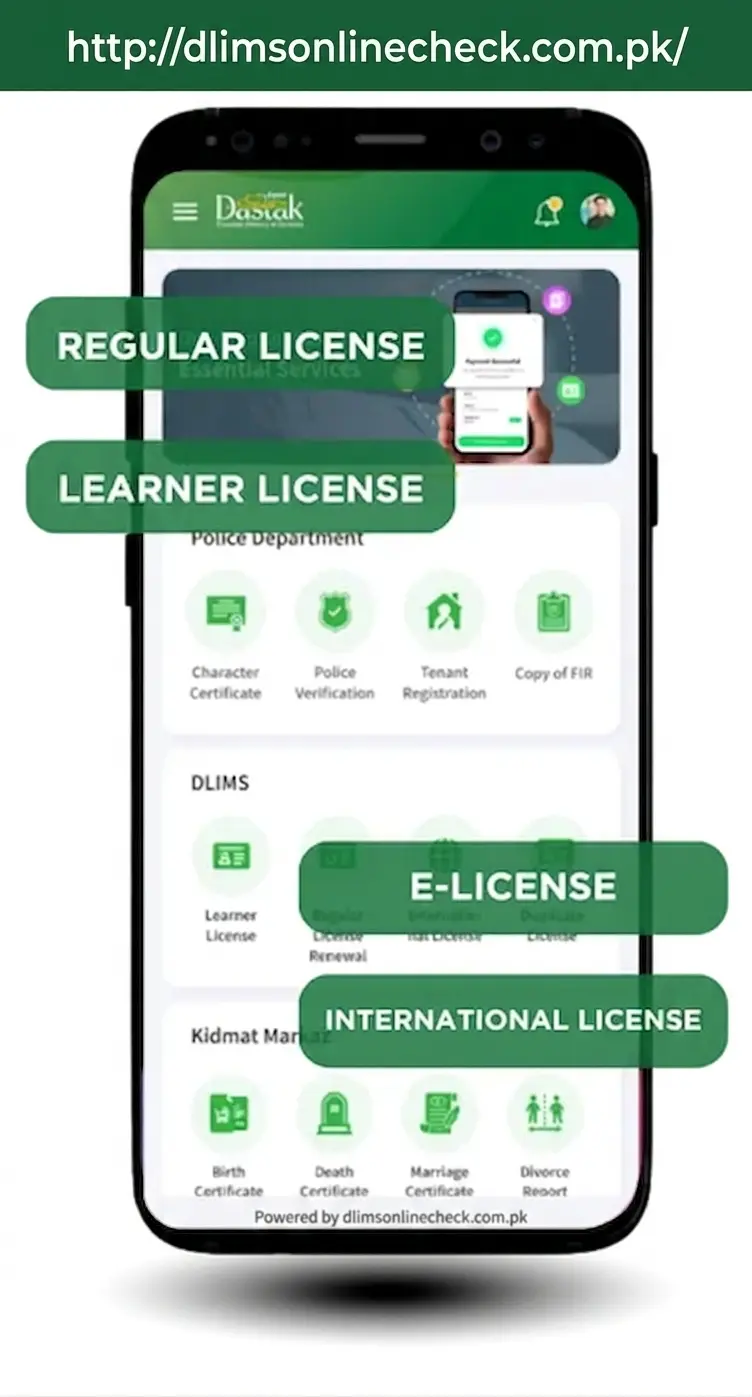
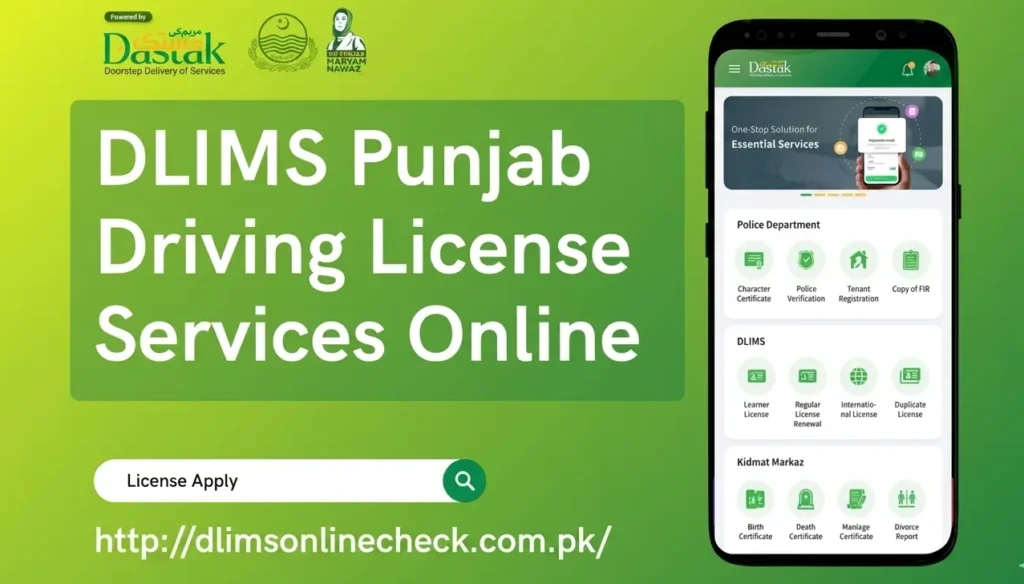
While the website is great, the Dastak App (available on Android and iPhone) offers a much smoother mobile experience. It brings all Punjab government services, including all the DLIMS features we've discussed, into one user-friendly app. For checking status and downloading your e-License on the go, the app is highly recommended.
Why Choose DLIMS Punjab
You might wonder if it's worth learning the online system. The answer is a resounding YES. Here’s why:
One Window Access Through Dastak:
No more running between different offices. Everything from application to payment and tracking is in one place.
Secure End to End Processing:
With biometrics and a central database, the system is highly secure. No one can get a license using your name.
Easy Online Verification:
You can verify any Punjab license in seconds, which eliminates fake licenses and improves road safety.
Real-Time Tracking and Status Updates:
You are never in the dark. You always know the exact status of your application.
PSID Based Payments via ePay:
Cashless, transparent payments mean no corruption and a clear digital record of your fees.
Covers Issuance, Renewal, and Upgrades:
The system manages the entire lifecycle of your license, from your first day as a learner to upgrading to an LTV license or renewing after 5 years.
How to Get an International Driving Licence Through DLIMS Punjab
If you plan to drive abroad, you will need an International Driving Licence (IDL). DLIMS Punjab facilitates this through the official licensing system.
Requirements:
- Valid Punjab driving licence (at least 1 year old)
- CNIC copy
- Passport copy
- Passport-size photographs
- IDL application form (available at your district Licensing Authority)
- Payment of the applicable fee
Once your IDL is ready, you can also track it through the DLIMS tracking system using your CNIC. Pakistan's international driving licence is accepted in most countries that are signatories to the 1968 Vienna Convention on Road Traffic.